
"Leo is a revolutionary step in the right direction for programming."―Brian Takita
"Leo is the best IDE that I have had the pleasure to use. It has totally changed not only the way that I program, but also the way that I store and organize all of the information that I need for the job that I do."―Ian Mulvany
"When first I opened Leo, it was out of curiosity. But having used it, I'll never go back. They'll have to pry Leo out of my cold, dead fingers!"―Travers A. Hough
Leo makes managing long, complex code bases many many times more easy and feasible than anything else I've tried. Leo also makes trying experimental code way easier than anything else (e.g., running a script to test out some programming issue). I use Leo every day, all the time, for non-programming things. I don't see how I could replace it if it somehow vanished."―Thomas Passin
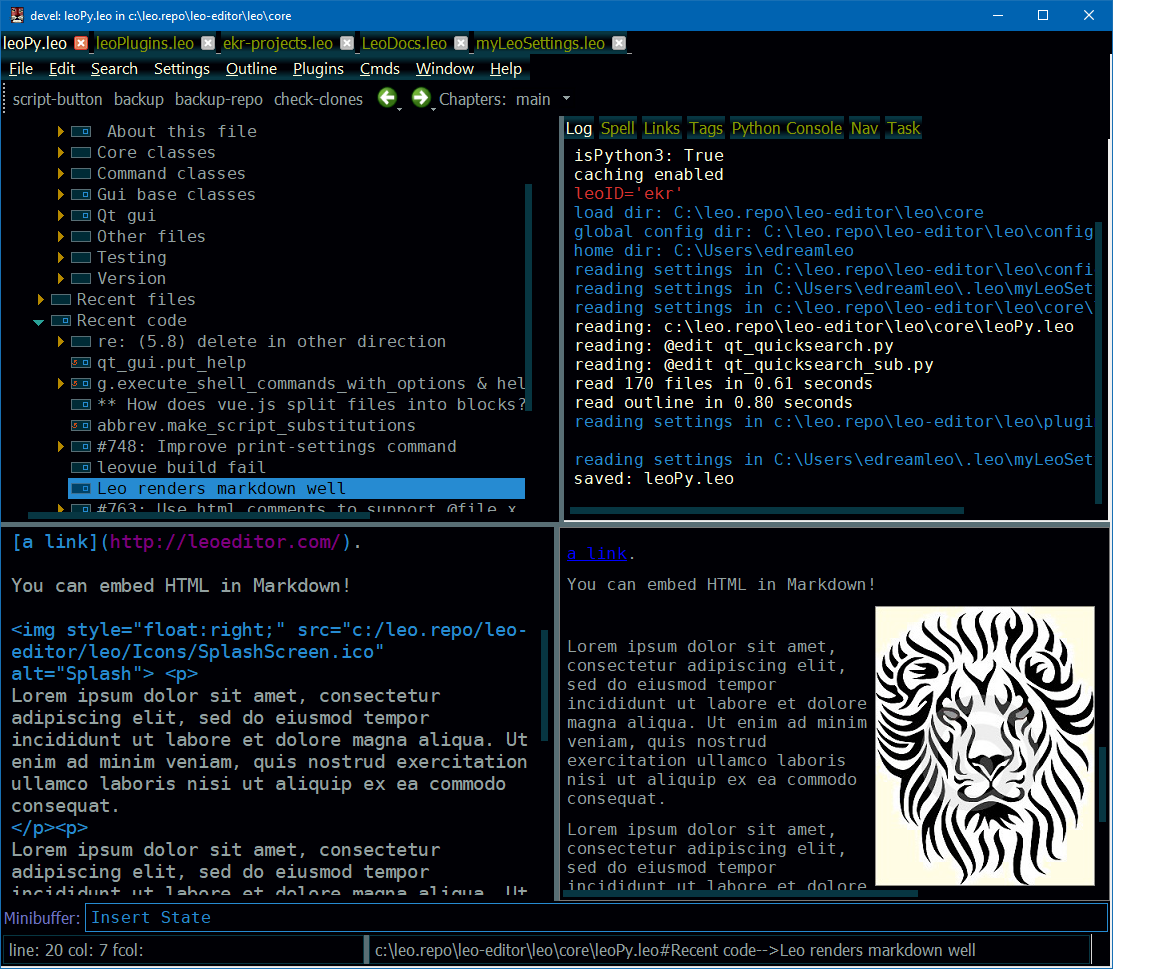
Leo is a scriptable outliner that accelerates the work flow of programmers, authors and web designers. Outline nodes may appear in more than one place, allowing multidimensional views of data, including computer programs, within a single outline.
Joe Orr's must see demo.
A brief summary of Leo.
What people are saying about Leo.
Learn about Leo in 20 minutes.
Zero Install Leo (LeoJS): Leo for vs-code.
Ask us anything at the
leo-editor Google Group.
Send us a postcard, telling how you use Leo. Thanks!
Here is reduced screenshot of Leo's main window. You can view the full-sized image using something like "view image" in your browser.